Your Perfect Desktop Layout Using iTop Easy Desktop to Create and Save Multiple Workspaces

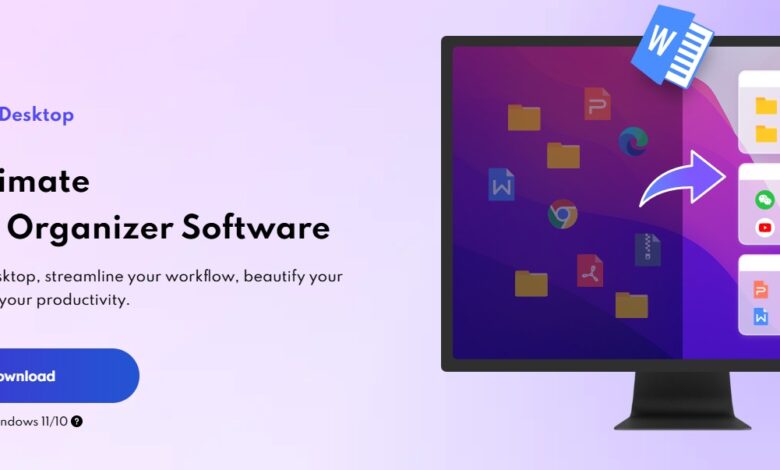
Everyone uses their computer differently depending on the task at hand. The way you organize your desktop while working on a report is rarely the same as when you’re editing photos, attending online meetings, or relaxing after hours. Yet for most Windows users, the desktop remains static—one layout forced to handle every scenario. Over time, this leads to clutter, distraction, and constant rearranging.
iTop Easy Desktop introduces a smarter approach by allowing users to create, manage, and switch between multiple desktop workspaces. Instead of fighting against a single overloaded layout, you can design separate environments for different tasks and switch between them effortlessly. The result is a desktop that adapts to you, not the other way around.
This article explores how iTop Easy Desktop helps you build your ideal desktop layouts, save them as reusable workspaces, and maintain clarity no matter how your workflow changes throughout the day.
Why One Desktop Layout Is Rarely Enough
Modern computer use is rarely linear. A typical day might involve checking emails, working on documents, managing schedules, browsing reference materials, and joining video calls—often all within the same few hours. Each task demands a different kind of focus and a different set of tools.
Trying to fit everything into a single desktop layout often leads to compromises. Important files get buried, widgets overlap with shortcuts, and visual noise slowly creeps back in. Constantly reorganizing icons or hiding files becomes an ongoing distraction.
iTop Easy Desktop addresses this problem by allowing users to treat the desktop as a flexible workspace rather than a fixed surface. With multiple layouts available, you can separate work, creativity, and personal use without duplicating files or changing habits.
Creating Workspaces That Match How You Work
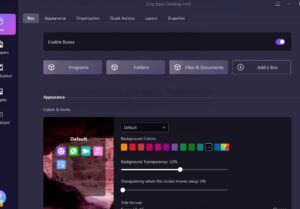
At the center of iTop Easy Desktop’s workspace concept is its Box-based organization system. Boxes group desktop items visually and logically, making it easy to build layouts that serve a specific purpose.
For example, a “Work” workspace might include Boxes for documents, spreadsheets, project folders, and quick-access shortcuts. A “Creative” workspace could focus on design files, screenshots, inspiration folders, and notes. A “Daily Use” workspace might prioritize calendars, reminders, and frequently used apps.
Each workspace can be arranged independently. Boxes can be resized, repositioned, and customized to match how often you use them. Because the layout logic is optimized, everything stays aligned and stable, even as files are added or removed.
Once a workspace is set up, it can be saved and reused whenever needed, eliminating the need to rebuild your desktop from scratch.
Maintaining Order with Smart Layout Control
One common concern with multiple workspaces is whether they’ll become difficult to maintain. iTop Easy Desktop avoids this by keeping layout management simple and responsive.
Auto-alignment ensures that Boxes and widgets stay neatly arranged, even as content changes. Optimized right-click menus make it faster to adjust settings, rename elements, or reorganize items without breaking your flow.
For users who want a cleaner visual temporarily, features like Tab Mode allow you to reduce on-screen elements with a single action. This is particularly useful during presentations, screen sharing, or moments when focus matters more than access.
Enhancing Workspaces with Widgets That Make Sense
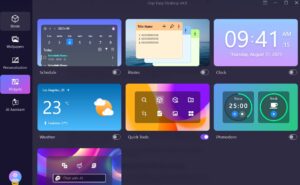
A workspace isn’t complete without the right supporting tools. iTop Easy Desktop’s widgets are designed to add functionality without adding clutter.
The Schedule widget fits naturally into task-focused workspaces. It provides a clean overview of deadlines and events and supports synchronization with Google Calendar and Outlook. This makes it easy to dedicate a workspace specifically to planning and time management.
iNotes works well in idea-driven or creative layouts. It offers a flexible place to store reminders, drafts, or brainstorming notes, with support for rich text and better organization than traditional sticky notes. Boost your concentration using the iPomodoro timer to structure your work and breaks effectively.
Because widgets can be added, removed, or repositioned per workspace, they enhance productivity instead of competing for attention.
Adding Personality Without Sacrificing Clarity

Different workspaces don’t just have to function differently—they can look different too. iTop Easy Desktop supports personalization that enhances usability rather than distracting from it.
Each workspace can be paired with wallpapers from the built-in library of over 20,000 options, including live and static designs. Some users prefer calm, minimal visuals for work, while others enjoy more expressive designs for creative or personal layouts.
The Personalization also allows system-wide styling changes, helping ensure that icons, taskbars, and themes remain visually consistent across workspaces. With one-click adjustments, users can create environments that feel cohesive without spending time fine-tuning settings.
Built-In Tools That Support Every Workspace
Beyond layout and design, iTop Easy Desktop includes features that support everyday tasks regardless of the workspace you’re using.
The integrated AI Assistant provides quick access to writing help, translations, summaries, and general assistance directly from the desktop. This is particularly useful when switching between workspaces, as support is always available without opening additional apps.
The built-in Screenshot tool also fits naturally into multi-workspace workflows. Whether capturing references, documenting progress, or sharing visuals, users can take targeted screenshots without disrupting their current layout.
Who Benefits Most from Multiple Desktop Workspaces
Multiple workspaces aren’t just for power users. Professionals benefit from a clearer separation between projects. Students can create distinct layouts for study, research, and daily planning. Creators enjoy dedicated spaces for inspiration and production. Even casual users find it easier to keep personal and work-related files from mixing.
The key advantage is mental clarity. When your desktop reflects your current task, it becomes easier to focus and less tempting to multitask unnecessarily.
Conclusion
Your desktop doesn’t have to be a compromise between everything you do—it can be a collection of spaces designed for each part of your day. With iTop Easy Desktop, creating and saving multiple workspaces becomes a natural extension of how you already work.
By combining smart Box management, flexible widgets, smooth layout switching, and thoughtful personalization, iTop Easy Desktop turns the desktop into a dynamic tool rather than a static background. The result is a cleaner, calmer, and more intentional computing experience—no matter how many roles your desktop needs to play.