Most content creators don’t have a problem with tools. They have a process problem. Every project starts from scratch — the same sequence of prompts, the same file exports, the same manual assembly — repeated every single time, across every single piece of content they produce.
AI Video Maker is the only canvas workflow builder where you can design a complete video production pipeline — script to footage to voiceover to music — and run it again and again without repeating a single step. Build the workflow once, use it indefinitely. And you can start for free, no credit card required.
Why Content Production Teams Keep Reinventing the Wheel
The tools have gotten better. The output quality has improved dramatically. But the fundamental structure of how most creators and marketing teams produce content hasn’t changed: every project is a manual, one-off process that depends on the person doing it remembering what to do next.
There’s no saved workflow. No way to say “run this exact sequence again for a different product.” No ability to batch ten variations of the same concept without repeating every step ten times. The result is that production speed stays flat no matter how good the individual tools get. The current reality for most teams looks something like this:
Manually prompting each tool in sequence for every new project
Re-importing assets between platforms every single time
Rebuilding the same creative structure from scratch for every campaign
No quality consistency because the process lives in someone’s head, not in a system
Scaling output means hiring more people, not building better workflows
The bottleneck isn’t creativity or tool quality — it’s the absence of a repeatable, automatable production system.
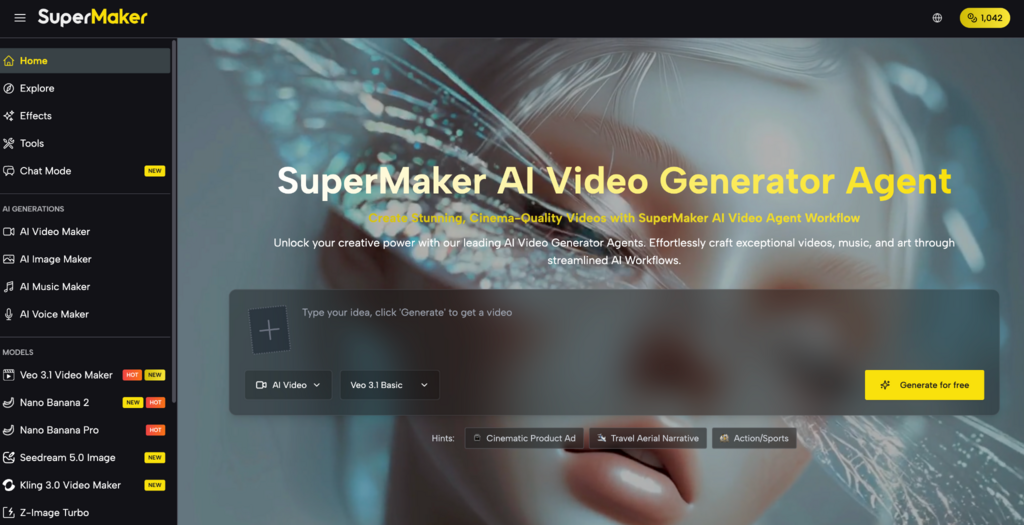
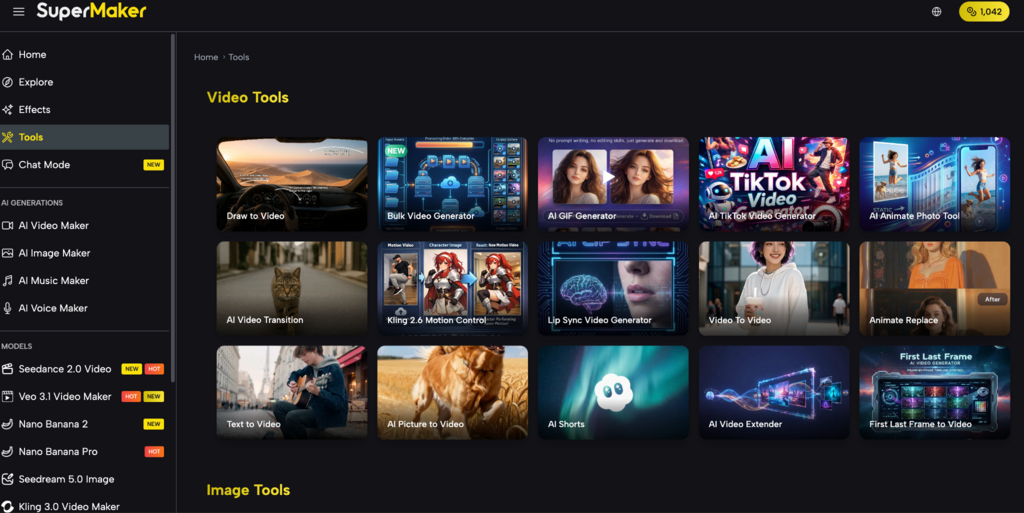
A Complete Creative Suite, Built Into One Platform
This platform builds automation directly into the creative process. AI Studio is an infinite no-code canvas where every tool on the platform — image generation, video production, voice synthesis, music composition, effects — can be connected into a single pipeline that runs automatically, saves every output, and can be reused across any number of projects.
Here’s how the platform is organized:
Pre-Production: Build Your Visual Foundation
AI Image Maker: Generate storyboard frames, concept art, and scene references using models like GPT Image 2, Nano Banana Pro, Seedream 5.0, and Flux Kontext — with built-in editing tools including magic erase, smart uncrop, and photo restoration — feeding directly into downstream pipeline nodes.
Production: Automate Video, Voice, and Music
AI Studio (Canvas Workflow): Design node-based production pipelines on an infinite visual canvas — chain text input, image generation, video animation, voiceover, and music composition into a single connected workflow, with batch processing of up to 4 variations per node, auto-save, and fully reusable templates.
AI Video Maker: Access 30+ video models — including Google Veo 3.1, Kling 3.0, Seedance 2.0, and Sora — with text-to-video, image-to-video, lip-sync, first/last frame control, and commercial licensing on premium outputs, all connectable as nodes inside a Studio pipeline.
AI Voice Maker: Convert scripts into professional narration across multiple languages and voice styles — saved natively to your asset library and ready to auto-sync with any video node in the pipeline.
AI Music Maker: Generate original, royalty-free background tracks from a text description, with full control over genre, tempo, and instrumentation — permanently licensed on paid plans, integrating directly into the final export node.
Post-Production: Scale and Automate
AI Effects Library: Apply 100+ one-click visual transformations — including sketch-to-video, photo-to-dance, and AI Red Carpet formats — as automated steps inside a Studio workflow, enabling consistent visual treatment across an entire batch of content without manual intervention.
The tool runs entirely in the browser — no download, no installation required. A mobile app is also available for iOS and Android.
How to Build a Repeatable Video Pipeline in 5 Steps
Step 1 – Open AI Studio and create a new canvas: Start with a blank workflow canvas. Each node represents one step in your production process — drag in the tools you need and arrange them in sequence.
Step 2 – Connect your generation nodes: Link a text input node to an image generator, then connect the image output to a video model node. Add a voice node and a music node downstream. The canvas shows the full pipeline visually.
Step 3 – Configure batch settings: Set each node to generate up to 4 variations simultaneously. One workflow run produces multiple creative directions in parallel — ideal for A/B testing or producing variations for different platforms.
Step 4 – Save as a template: Once your pipeline is built and tested, save it as a reusable template. Every future project using the same content structure runs through the same workflow — no rebuilding required.
Step 5 – Run and export: Input your new prompt or asset, trigger the workflow, and every node runs in sequence automatically. All outputs collect in your asset library, ready to review and export as MP4.
Real Use Cases: Social Media, YouTube, and Ads
Social Media Creators A single Studio template built for TikTok content — image generation, video animation, music, voiceover — can produce a week’s worth of content variations in a single session. The creator sets the inputs, the workflow handles the rest.
YouTube Creators Faceless YouTube channels that produce regular episodic content benefit most from workflow templates. Build one pipeline for your channel format, run it for each new episode topic, and maintain consistent production quality without rebuilding the process every time.
Marketers and Ad Teams A marketing team producing ads for multiple products can build one master workflow template and run it with different inputs for each product and language. What used to require a full production week compresses into a single afternoon of supervised batch generation.
Pricing: What You Get at Each Tier
Plan
Price
Credits
Videos
Images
Music
Voice Tracks
Free
$0
30 credits/week via check-in
Up to 1
Up to 5
Up to 5 generations (10 songs)
Up to 2
Basic
$8.30/mo ($100/yr)
2,400/year
Up to 240
Up to 1,200
Up to 1,200 generations (2,400 songs)
Up to 480
Popular
$24.00/mo ($288/yr)
9,600/year
Up to 960
Up to 4,800
Up to 4,800 generations (9,600 songs)
Up to 1,920
Pro
$30.00/mo ($360/yr)
21,600/year
Up to 2,160
Up to 10,800
Up to 10,800 generations (21,600 songs)
Up to 4,320
The free plan includes Canvas access with no credit card required — enough to build and test a workflow before committing. For teams producing content at volume, the Popular plan at $24/month covers nearly 10,000 credits annually across all media types, with full commercial licensing and private generation included.
Conclusion
The reason most content teams can’t scale their output isn’t a lack of good tools — it’s the absence of a system that connects them into a repeatable process. Every manual handoff is a step that has to be repeated forever, and that repetition is where production capacity disappears. If your current workflow requires rebuilding the same creative sequence from scratch for every new project, it’s worth spending 10 minutes on a workflow canvas to see how much of that work can be automated — the free tier requires no credit card to find out.
This platform treats automation as a first-class creative feature, not an enterprise add-on. Build your pipeline once, run it indefinitely, and spend your time on the inputs that actually require creative judgment.