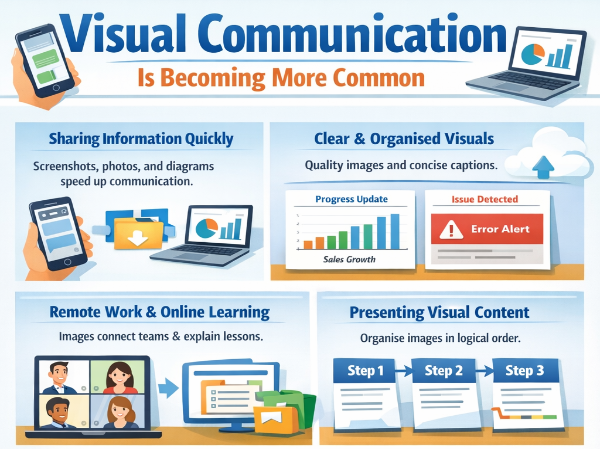
Communication has shifted significantly across workplaces, classrooms, and community groups. Messages now move quickly through phones, laptops, and shared platforms. Written explanations still matter, yet visual material often delivers the message faster.
Screenshots, photos, and diagrams appear regularly during discussions, reports, and updates. A simple image can show progress, highlight an issue, or explain a process within seconds. Busy schedules encourage shorter, clearer exchanges of information.
Technology plays a major role in this change. Smartphones capture clear photos instantly. Collaboration platforms allow quick sharing between colleagues. Cloud storage allows access across devices without delay.
Good presentation habits help people use these tools effectively. Clear visuals, organised information, and thoughtful structure make communication easier to follow.
Visual Communication Is Becoming More Common
Daily communication now includes far more visual content than it did in the past. Teams often share images during discussions because they reduce the need for long explanations. A quick screenshot can show exactly what someone is referring to.
Careful use of images makes communication easier to understand. Clear visuals remove uncertainty and prevent confusion across teams.
Choosing clear visuals
Image quality matters. Blurry screenshots or cluttered photos often raise more questions than they answer. Clean images with readable details help colleagues interpret the message quickly.
Short captions improve clarity as well. A brief explanation placed near an image gives readers immediate context. That small step saves time when several people review the same update.
Supporting team communication
Messaging tools encourage visual communication every day. Platforms such as Slack, Microsoft Teams, and WhatsApp allow staff to share screenshots within seconds. Visual references often appear during quick discussions about tasks or technical problems.
Consistency strengthens communication habits. Teams benefit when images follow similar formatting, naming, and organisation. Readers can then recognise important details quickly without extra explanation.
Remote Work Has Shifted How Information Is Shared
Work routines changed significantly as remote collaboration became common across many industries. Office conversations once provided quick explanations. Remote environments require a different approach.
Images help bridge the distance between colleagues working in separate locations. Visual references often clarify information that might otherwise take several messages to explain.
Supporting remote collaboration
Online meetings remain helpful when a detailed discussion is needed. Daily communication, however, often depends on shorter exchanges. Screenshots and photos help provide context without scheduling additional calls.
Staff members frequently share visuals when reporting progress or identifying issues. A screenshot showing a problem allows the team to understand the situation immediately.
Creating clear documentation
Remote teams often store visual guides so colleagues can revisit them later. Training documents may include labelled screenshots that walk readers through each step of a task.
Clear organisation improves these guides. Images should appear in logical order. Captions should explain each step clearly. Well-organised documentation reduces confusion and supports efficient teamwork.
Presenting Visual Content in a Structured Format
Visual material communicates quickly, yet structure determines how easily readers absorb the information. Several images shared together require clear organisation, so the message remains easy to follow.
Professional reports, updates, and training materials often contain multiple visuals. Placing those images within an organised format helps readers review them in the correct order.
Grouping images effectively
Gather related visuals before sharing them with colleagues or clients. Logical grouping allows readers to move through the information without searching through separate files.
Some professionals choose to convert JPGs to PDFs online when combining several images into a single document. This approach keeps visual information together and allows others to review it easily.
Maintaining clarity in visual presentations
Simple formatting often works best. Clean layouts prevent distractions and help readers focus on the content itself. Headings and captions guide readers through the material without overwhelming them.
Logical order also matters. Each image should support the next piece of information. A clear sequence allows readers to understand the story behind the visuals.
Education and Training Are Adopting Visual Methods
Learning environments increasingly rely on visual content. Teachers, trainers, and lecturers use images regularly when explaining complex subjects. Students often absorb information faster when visual material supports written explanations.
Visual teaching methods help learners focus on the main idea without excessive reading.
Improving understanding through visuals
Diagrams, charts, and screenshots help explain processes clearly. Students can see how something works rather than trying to interpret long written descriptions.
Teachers often include labelled visuals during lessons so students can follow each stage of a topic. These references also help when reviewing material later.
Supporting digital learning environments
Online classrooms rely heavily on visual communication. Educators frequently share slides that contain images or diagrams during virtual sessions.
Training programmes within organisations follow a similar structure. Employees often receive visual guides that explain procedures step by step. Clear visuals support faster learning and reduce errors during tasks.
Information Sharing Is Becoming Faster and More Efficient
Technology allows people to capture and share information almost instantly. A phone camera can document an issue during a meeting. A screenshot can highlight an important detail during a discussion.
Speed alone does not guarantee effective communication. Being organised ensures information remains clear and easy to interpret.
Creating efficient communication habits
Structured visual presentation reduces confusion. Group related visuals together and label them clearly. Readers should understand the purpose of each image without needing further explanation.
Short summaries placed near visuals can also support clarity. These explanations help readers interpret the information quickly.
Keeping information accessible
Shared folders and collaboration platforms help teams store visual information in organised spaces. Staff members can return to earlier examples when needed.
Efficient communication improves teamwork. Clear presentation reduces misunderstandings and allows projects to move forward smoothly.
Improve the Way You Share Information
Clear presentation improves how people communicate ideas across workplaces, education settings, and everyday activities. Visual material helps readers understand information quickly while reducing the need for long explanations.
Organisation remains the key to effective visual communication. Structured layouts, logical image sequences, and concise captions make information easier to review. Small improvements in presentation habits can significantly improve how teams exchange knowledge.
Review how visual content appears in your own communication. Look for ways to organise images more clearly and present information in a structured format. Simple adjustments often lead to clearer discussions and more productive collaboration.