Smartphone overheating is a typical problem that many users experience, resulting in performance issues, battery degradation, and even device failure. Overheating can occur for a variety of causes, but the good news is that it is typically avoidable with a few basic practices and precautions. You can keep your gadget cool and running smoothly by carefully controlling how you use, charge, and repair it. In this tutorial, we’ll look at why smartphones overheat, how to prevent it, and what to do if your phone gets too hot to handle.
Why Does Your Smartphone Overheat?
Smartphones overheat mostly because of the heavy demand placed on their CPUs, batteries, and other parts. Intensive activity like gaming, video streaming, or utilizing power-hungry programs can raise the internal temperature. External causes, such as using your phone in direct sunlight or leaving it in a hot location, can also cause overheating. Furthermore, improper charging connectors or broken battery cells might result in excessive heat accumulation. While smartphones are built to manage temperature, prolonged high performance or poor handling might overtax the cooling mechanisms. Understanding these factors is the first step toward avoiding overheating and keeping a healthy device.
How Can You Prevent Your Smartphone from Overheating?
Daily Usage Habits That Keep Your Phone Cool
Start by changing the way you use your smartphone to prevent overheating. Limit extended gaming or video streaming sessions and steer clear of using many high-performance apps at once. Closing background-running programs on a regular basis can also help avoid needless processor burden. To prevent excessive battery consumption, turn on the auto-brightness option or lower the screen brightness whenever you can. You may further reduce the temperature by using your phone in a cool, shady spot and avoiding direct sunlight. These little everyday routines can have a big impact on avoiding overheating.
Charging Practices That Reduce Phone Heat
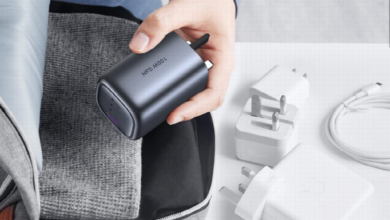
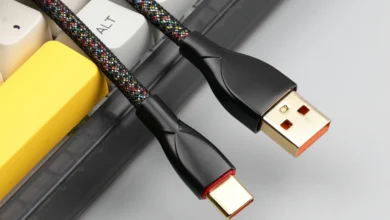
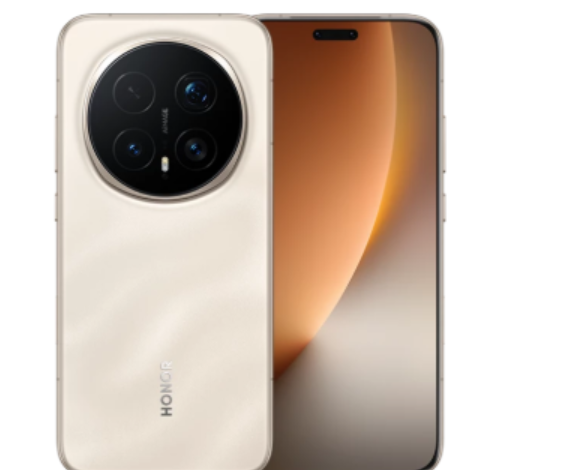
Charging habits have an important impact on smartphone temperature regulation. Always use the original charger and cord; third-party accessories may result in inefficient charging and overheating. Avoid using your phone while it is charging, especially if you are doing something power-intensive like gaming or streaming, as this creates heat. Charging your gadget overnight might cause it to stay hot for extended periods, so disconnect it after it is fully charged. If your phone’s battery hits 100%, unplug it to avoid excessive heat buildup. Charging your phone in colder conditions will help it maintain a safe temperature. If you’re looking to upgrade, you can HONOR Magic 8 Pro buy online, which offers efficient charging features to reduce overheating.
Settings and Features to Control Smartphone Temperature
Smartphones provide a number of built-in temperature-control functions. Most smartphones include power-saving modes that automatically lower performance, screen brightness, and background operations when your phone overheats. Enabling these settings can help you control temperature more efficiently. Furthermore, some devices include cooling functions or applications that allow you to monitor temperature in real time and modify settings accordingly. Turning off functions such as Bluetooth, Wi-Fi, and GPS while not in use can also help to reduce heat buildup. Customizing settings like screen timeout and restricting push notifications might help you regulate your phone’s temperature.
What Should You Do If Your Phone Is Already Overheating?
Immediate Steps to Cool Down an Overheating Smartphone
If your smartphone begins to overheat, you should stop using it immediately. Disable any power-hungry apps or functions, and shut all open programs. Next, turn off the phone so it can cool down naturally. Remove the case if you’re using one, since it might trap heat. If possible, keep the phone in a cool, dry place and away from direct sunlight. To assist in dispersing heat quickly, use a fan or a cold surface. Allow your phone to cool down before attempting to use it again, since overheating can harm internal components.
What You Should Never Do When Your Phone Gets Hot
Do not put your smartphone in the freezer or refrigerator while it overheats. Although this might seem like a quick remedy, the device may experience water damage due to condensation brought on by the abrupt temperature shift. Avoid trying to cool your phone by submerging it in liquid or pouring water on it. Furthermore, avoid using the phone when it is overheated since this might harm the battery and other components over time. To avoid more damage, it is essential to allow your phone to cool down in a secure setting.
When to Stop Using Your Phone and Let It Cool
If your smartphone reaches an abnormally high temperature, such as when it becomes too hot to hold, stop using it immediately. Continuing to use a phone at this temperature may cause permanent damage to the battery or internal circuits. Many smartphones will shut down or display an overheating warning when they reach critical temperatures, indicating that it is time to stop. If your phone’s temperature continues to rise despite preventative measures, turn it off and allow it to cool for at least 30 minutes before using it again.
Conclusion
Being mindful of how you use your phone and its surroundings is essential to preventing overheating. You may drastically lower the risk of your phone overheating by modifying your daily routine, making the most of charging procedures, and utilizing built-in functions. Serious damage can be avoided by acting quickly to stop overheating, such as shutting down your device and putting it in a cool place. Keep in mind that you may extend the life of your equipment by taking a few preventative measures. It might be necessary to seek additional help from a qualified expert if your phone still overheats in spite of these attempts.