When most marketers first get access to an AI Video Generator, they picture a flawless scenario: type a few clever lines, hit enter, and wait for a cinematic, social-ready masterpiece.
The reality of early adoption is far messier. As an all-in-one AI studio, MakeShot provides a fascinating window into how teams adjust their mindsets when faced with unpredictable outputs. This isn’t a story about instant magic; it’s about relinquishing micro-control, iterating through failures, and eventually finding immense practical value in rapid prototyping.
In the first few days of using MakeShot, the dominant experience is usually a mix of frustration and surprise. Many beginners mistakenly assume an AI Video Generator can read between the lines of their visual subtext.
When I first typed a prompt about “a young woman smiling and drinking coffee in a sunlit cafe” into an AI Video Generator, I expected a very specific lifestyle aesthetic. The system returned lighting that was technically flawless, but the physical mechanics of her lifting the mug felt slightly alien. This expectation gap is a rite of passage.
The limits of language: You quickly realize that standard marketing speak (like “premium feel” or “dynamic energy”) means absolutely nothing to a machine.
Physics breaking down: Background objects vanishing or weird movement arcs are standard hurdles in early attempts.
From director to curator: You aren’t giving orders to a seasoned Director of Photography; you’re playing the odds with an engine that has infinite assets but zero common sense.
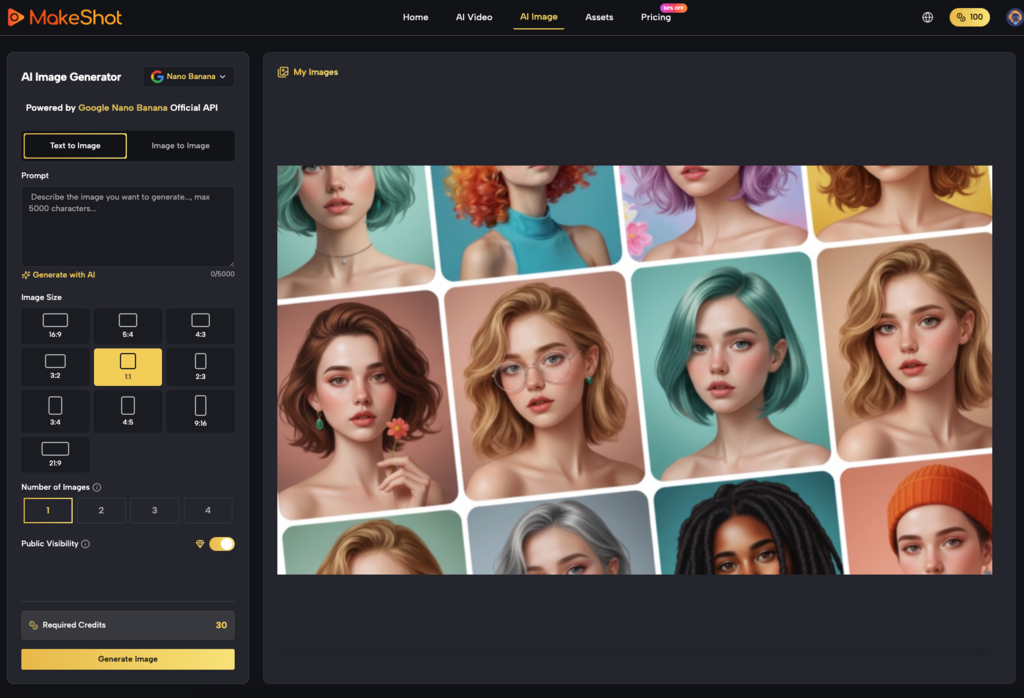
At this stage, many users step back. They start using an AI Image Creator first to lock in the static visual baseline before attempting to push those pixels into motion, effectively reducing the chaos of the generation process.
🔍 Navigating the Engine Room
MakeShot’s core differentiator is that it isn’t a single black box. It houses Veo 3, Sora 2, and Nano Banana under one roof. For a marketing team, this is both a massive advantage and a source of initial cognitive load. You aren’t just writing prompts—you have to decide which “brain” is best suited for the task.
Different engines, different temperaments
In practice, no manual tells you exactly when to use which model. It requires heavy A/B testing.
I quickly found that when I needed complex camera movements and strict spatial consistency, calling on Sora 2 usually delivered a much more coherent environment. However, Sora 2 demands highly literal, structurally sound scene descriptions.
Conversely, for rich product textures, vibrant colors, or quick social clips, Veo 3 often shows a more forgiving aesthetic baseline. Marketing teams usually spend a few weeks building a specific prompt vocabulary just to get the most out of Veo 3.
Then there is Nano Banana, which often plays the wildcard role. When testing concepts that need unexpected visual twists or highly stylized, experimental framing, Nano Banana provides inspiration that breaks the traditional mold. Switching fluidly between these engines becomes the core workflow of any modern AI Video Generator user.
💡 Shifting from “Final Polish” to “Rapid Prototyping”
If you approach an AI Video Generator expecting a finished deliverable ready for paid media, you will likely abandon the tool within a month. The real turning point happens when teams pivot their use case to rapid content prototyping.
Instead of spending days drawing storyboards or hunting for the perfect stock footage to pitch a concept, MakeShot compresses the timeline drastically.
Dynamic mood boards: Teams start with an AI Image Creator to generate keyframes, ensuring clients or internal stakeholders agree on the color grading and composition.
Low-cost validation: They feed those static assets into the AI Video Generator to create 3-second motion sketches. Even if the physics are slightly off (like a drifting eyeline), it’s enough to prove that “this camera pan feels right.”
Reducing friction: Using a rough AI clip instead of a long-winded email drastically cuts down internal miscommunication.
In this phase, the AI Video Generator isn’t replacing the camera crew or the final editor; it’s replacing vague meeting notes and rough hand-drawn sketches.
📊 Building a Repeatable Workflow: The First Month
To illustrate this learning curve, let’s map out the realistic first four weeks of a marketing team integrating this platform into their daily operations.
Timeline
Behavior & Mindset
Tool Preferences
Core Realization
Week 1: Chaos
Typing long paragraphs, expecting magic; frustrated by visual flaws.
Blindly testing every AI Video Generator option with no strategy.
AI cannot fill in logical gaps left out of the prompt.
Week 2: Control
Abandoning complex narratives for single-action, short clips.
Relying heavily on an AI Image Creator for image-to-video generation.
Accepting that control requires compromise and constraints.
Week 3: Engine Mapping
Logging which keywords work for specific models.
Learning Sora 2 is for scale, Veo 3 for texture, Nano Banana for style.
Developing “model intuition” instead of guessing.
Week 4: Integration
Exporting rough clips into traditional editing software for cleanup.
Pairing an AI Image Creator with the right AI Video Generator.
Viewing AI as a concept visualizer, not a replacement for editors.
This progression from blind optimism to pragmatic utility is nearly universal. The true efficiency gains only begin to emerge after week four, once the workflow stabilizes.
🛠️ Redefining Authorship: Embracing the Beautiful Accident
Over time, working inside MakeShot forces you to redefine what “control” actually means in content creation.
Traditional creation is micro-management: you dictate the lighting angle, the actor’s mark, the lens focal length. When using Sora 2 or Veo 3, you are setting macro-parameters and leaving the pixel-level rendering to the algorithm. You might get better lighting than you imagined, but you also have to accept a weird shadow in the background that you can’t easily erase.
When running a prompt through Nano Banana for an edgy social campaign, you have to embrace the “beautiful accident.” Sometimes, the “mistakes” an AI Video Generator makes—like an unnatural, morphing transition—actually become the visual hook that stops a user from scrolling.
Ultimately, evaluating whether an AI Video Generator belongs in your stack shouldn’t be based on its ability to spit out a flawless commercial on the first try. Instead, ask yourself: Did it let me test ideas I previously couldn’t afford to explore? Did it breathe new life into the static assets my AI Image Creator produced?
When teams stop demanding that Sora 2, Veo 3, and Nano Banana act like traditional cameras, and start treating them as collaborative brainstorming partners, the real commercial value of an AI Video Generator finally clicks into place. It takes patience, a folder full of outtakes, and a willingness to find utility in the unpredictable.